A strong Google Business Profile makes it easier for customers to understand what your business offers, where it operates and how to contact you. Optimisation is not about forcing keywords into every field. It is about creating accurate, consistent and useful signals across your profile, website and wider online presence.
This practical guide explains how to optimise a Google Business Profile for local rankings while staying aligned with Google's guidelines.
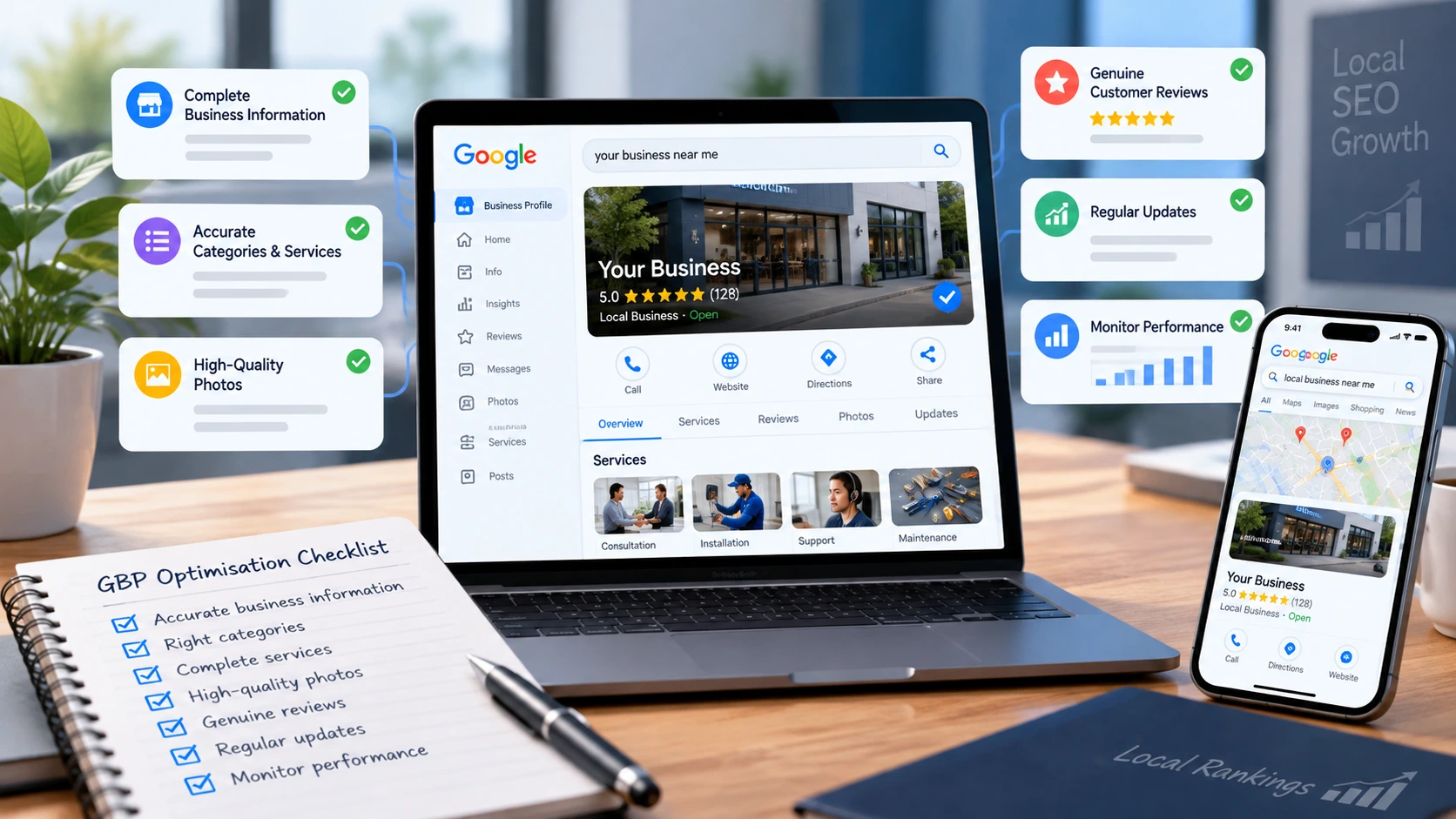
For a professional audit and implementation plan, explore our Google Business Profile services for UK businesses .
How Google Chooses Local Results
Google explains local results using three broad concepts: relevance, distance and prominence. You cannot control every part of the system, and results can change according to the searcher's location and intent.
You can, however, improve how clearly your business is represented and how confidently customers engage with it. Learn more from Google's official local ranking guidance .
Relevance
How closely the profile and connected website match what the customer needs.
Distance
How far the eligible business is from the location used for the search.
Prominence
How established and well-supported the business appears through reviews, links, citations and other signals.
01 Use the Real Business Name
The profile name should reflect the name used consistently in the real world. Adding services, locations or promotional wording solely to influence rankings can create compliance risk.
If the company has changed its name legitimately, make sure the website, signage and supporting documents reflect that change before updating the profile.
Review the official guidelines for representing your business on Google before changing business names, categories or addresses.
02 Choose the Most Accurate Primary Category
The primary category should describe the core business as precisely as possible. Additional categories can cover genuine secondary areas, but selecting every remotely related category can weaken clarity.
Review categories periodically because businesses evolve and Google may update the available options.
03 Complete Services Accurately
Add the services customers can genuinely purchase. Use clear descriptions that explain the outcome, scope and important limitations.
Where possible, connect important services to relevant pages on the website. Avoid repeating the same location or keyword unnaturally across every item.
04 Keep Contact Details and Hours Consistent
Check the website address, telephone number, opening hours, holiday hours, appointment link and other contact information.
Customers lose confidence quickly when the profile says a business is open but nobody is available. Consistency also helps search systems understand that the website and profile refer to the same organisation.
05 Define Service Areas Truthfully
Service-area businesses should list the areas they genuinely serve and follow the eligibility rules for displaying or hiding an address.
A service area does not create a physical presence in every town selected. Do not create virtual offices or duplicate profiles simply to target more locations.
06 Write a Useful Business Description
Explain what the business does, who it helps and any important specialist focus. Use natural language and prioritise clarity.
The description should support the rest of the profile rather than act as a list of search terms. Avoid promotional claims that cannot be verified.
07 Add High-Quality, Current Photos
Use genuine images of the business, team, work, premises, products or service delivery where appropriate.
Recent, recognisable images help customers judge whether the business is right for them. Give each image a clear purpose and avoid relying entirely on generic stock photography.
08 Build an Ethical Review Process
Ask genuine customers for honest feedback at an appropriate point in the customer journey. Make the process simple, but do not offer prohibited incentives or selectively pressure customers.
Respond to positive and negative feedback professionally. Read Google's official guidance on customer reviews for more information about genuine feedback.
If a review appears fake or breaches policy, follow the correct reporting route described in our guide to managing and removing bad Google reviews .
09 Publish Genuinely Useful Updates
Posts can highlight services, useful advice, business changes and timely information.
Quality matters more than filling a calendar with generic content. Each update should be accurate, readable and relevant to a customer considering the business.
10 Strengthen the Connected Website
The website should confirm the services, locations and expertise shown on the profile.
Important service pages need unique helpful content, clear contact details, fast loading, secure delivery and sensible internal links. A thin or inconsistent website limits how much confidence customers can place in the listing.
For businesses targeting several areas, create location content only where it adds real value. Do not publish dozens of near-identical pages with town names exchanged.
11 Keep Business Information Consistent Elsewhere
Review major directories, social profiles and industry listings for outdated names, addresses, telephone numbers and URLs.
Prioritise reputable, relevant sources rather than purchasing large quantities of low-quality citations.
12 Track Meaningful Actions
Monitor available profile views, search terms, website visits, calls, messages, direction requests and completed enquiries.
Add suitable campaign tracking to the profile's website link so activity can be analysed correctly. Compare performance over meaningful periods rather than reacting to normal daily fluctuations.
13 Protect Ownership and Access
The business should retain primary ownership and use individual user access rather than sharing one login.
Remove former staff or suppliers who no longer need access. Keep supporting business documents organised in case Google requests evidence.
14 Avoid Unnecessary High-Impact Changes
Changes to the business name, primary category, address, website or ownership can trigger additional checks.
Make these changes only when accurate and necessary, and document the evidence supporting them.
If a profile has already been suspended or disabled, visit our Google Business Profile recovery service before making repeated edits.
A Practical Monthly Checklist
Regular maintenance helps keep your business information accurate and your profile useful to customers.
How Long Does Optimisation Take?
Accuracy and conversion improvements can be immediate, but sustainable visibility usually develops through continued work.
The timeframe depends on the market, existing prominence, website quality, review profile and the customer's location. No responsible provider can guarantee a particular position.
Get an Evidence-Led Google Business Profile Audit
One Digital Creations audits the profile, website and surrounding local signals before recommending changes.
Work is led directly by Anthony McCabe, Director of One Digital Creations Ltd, with a clear focus on accurate implementation and understandable reporting.