
A suspended or disabled Google Business Profile can remove an important source of local visibility and enquiries. The fastest safe route is usually careful diagnosis, accurate corrections and a well-organised submission through the official process—not repeated edits or multiple appeals made without new evidence.
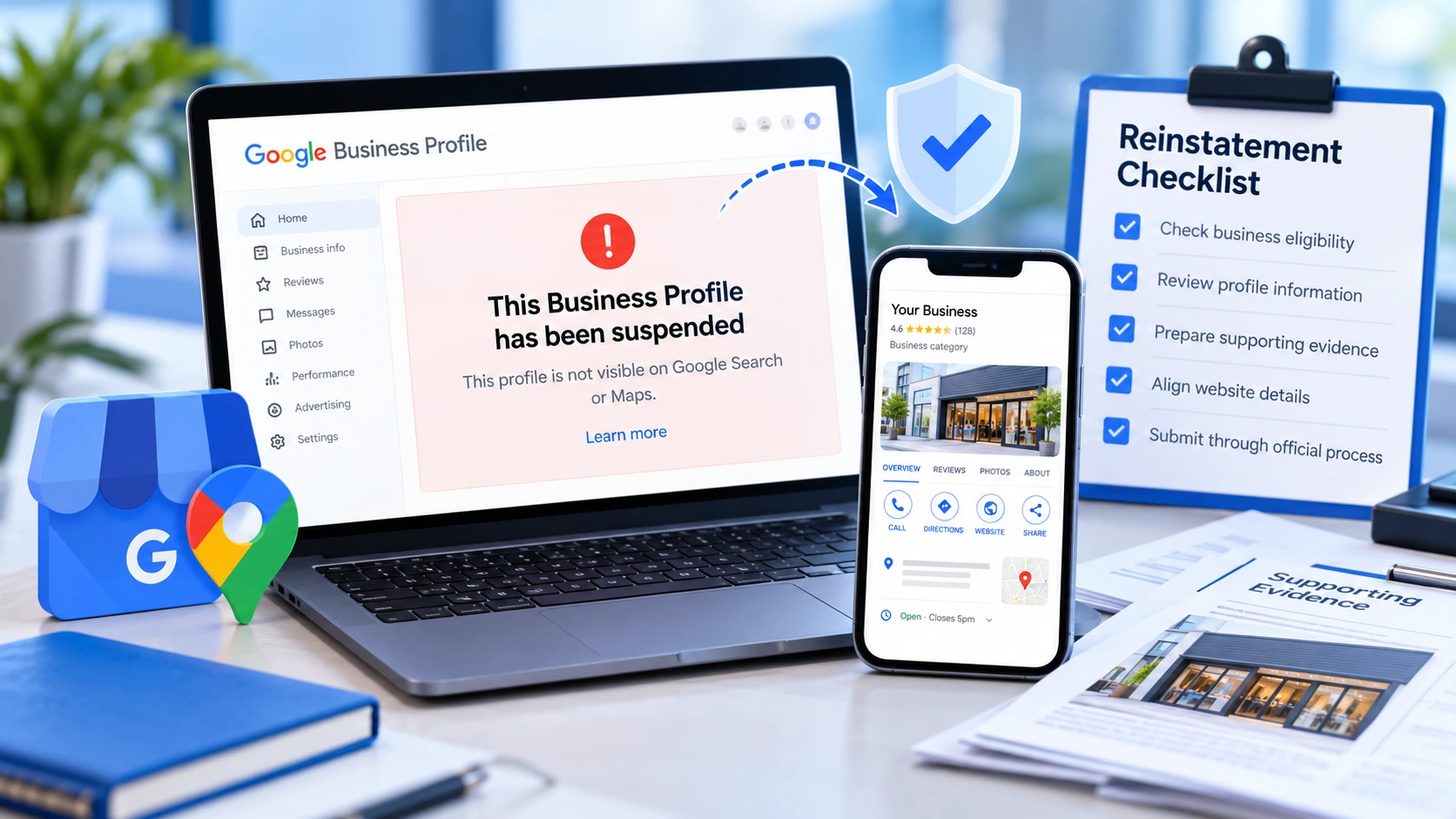
Use this Google Business Profile suspension and reinstatement checklist to organise the case. If the profile is already restricted and the situation is complex, visit our Google Business Profile recovery service .
First: Understand the Restriction
The wording shown in the account matters. A profile may be suspended, disabled, removed, unverified, inaccessible because of ownership problems, or affected by a rejected appeal. These situations can require different actions.
Save the exact notification and any emails from Google before changing the profile.
Immediate Actions Checklist
Business Eligibility Checklist
Before preparing evidence, confirm that the business is eligible for a profile. The business should make in-person contact with customers during its stated hours, either at an eligible staffed location or by travelling to customers as a service-area business.
Online-only businesses and certain lead-generation models may not qualify.
Profile Information Checklist
Review each part of the profile carefully and correct confirmed inaccuracies rather than making speculative edits.
Business Name
Compare the profile name with the website, signage, invoices, registration records and other customer-facing materials. Remove added services, towns, slogans or promotional wording unless they are genuinely part of the real-world name.
Address and Service Area
Confirm that the location is accurate and eligible. Review customer access, signage and staffing. Service-area businesses should reflect their real operating model and avoid fabricated offices.
Categories and Services
Choose categories that accurately describe the business. Remove services or categories that are not genuinely offered. Avoid large numbers of speculative edits during a review.
Telephone Number and Website
Use contact details controlled by the business. The website should identify the same organisation, services and location information. Confirm that the site is live, secure and accessible.
Ownership and Account Access
Review owners and managers. Remove former suppliers or staff only when authorised and safe. The business should retain primary control and avoid sharing a single login between several people.
Evidence Preparation Checklist
Evidence should be clear, current and directly connected to the business. Google determines the evidence required for each case, but useful supporting materials may include:
Do not alter documents, fabricate evidence or submit material belonging to another entity. Ensure names and addresses are readable and consistent.
Website Alignment Checklist
Before Submitting an Appeal
Correct confirmed guideline problems first. Keep a written record of what changed and why. Organise the strongest evidence into clearly named files and prepare a concise explanation focused on eligibility and accuracy rather than the commercial impact of the restriction.
Explain the business model, how customers are served, what was corrected and what evidence supports the profile. Avoid emotional language, accusations and unrelated marketing information.
After Submitting Your Appeal
Save the submission confirmation and case reference.
Monitor the account email, including spam folders.
Avoid unnecessary profile edits while the case is being reviewed.
Respond promptly if Google requests additional evidence.
Keep the website and supporting information accessible.
Review times vary and are controlled by Google. No provider can guarantee approval or a specific timescale.
If Your Appeal Is Rejected
Do not immediately resubmit the same explanation and evidence. Compare the decision with the profile, eligibility rules and documents. Look for unresolved inconsistencies or evidence gaps.
The appropriate next route depends on the options Google makes available for the case. Our recovery and rejected-appeal support begins by reviewing the existing record before recommending another step.
Common Mistakes That Delay Recovery
Preventing Future Profile Problems
Keep business information, the website and important third-party listings consistent. Document high-impact edits, maintain secure ownership, monitor account emails and review special hours.
For ongoing support, see our guide to optimising a Google Business Profile and our complete Google Business Profile services .
Get Specialist Help With a Restricted Profile
One Digital Creations provides evidence-led support for suspended, disabled, inaccessible and rejected-appeal cases. Work is led directly by Anthony McCabe, Director of One Digital Creations Ltd.
We identify the likely issue, organise the correction plan and support the official route available for your case.