
GBP Suspended for “Deceptive content” is one of the most confusing suspension reasons Google Business Profile gives a business owner. There is no detailed breakdown, no list of what’s wrong, and no obvious next step. Just a flag, a suspended listing, and a vague accusation that something on your profile is misleading.
When your GBP is suspended for deceptive content, the good news is this: it is rarely a sign that Google thinks you are running a scam. In practice, it almost always means one specific detail on your profile, your business name, address, or a recent change you made, doesn’t match what Google’s systems expect a legitimate business to look like. Once you find and fix that detail, reinstatement is achievable, often within a week to two weeks.
This guide explains what deceptive content actually covers, the specific triggers that cause it (including two that catch business owners off guard), how long reinstatement realistically takes, and the exact steps to fix and appeal it correctly the first time.
Deceptive content is one specific cause within the broader topic of suspensions, if you’re not yet sure that’s what you’re dealing with, So here our Google Business Profile Suspended Recovery experts help you to covers every suspension type and how to tell them apart.
Get Our Free Assessment →
What “Deceptive Content” Actually Means

“Deceptive content” is Google’s shorthand for a breach of its Misrepresentation policy, part of the Prohibited & Restricted Content rules that govern every Google Business Profile. The policy exists to stop people from using Maps and Search to mislead users about who a business is, where it operates, or what it offers.
In plain terms, Google’s systems believe something on your profile does not reflect reality. That mismatch can be intentional manipulation, but far more often it’s an honest mistake: an address that technically exists but isn’t where customers can actually find you, a business name with marketing language added to it, or a recent edit that altered key details without you fully realising the implications.
This is an important distinction. A deceptive content suspension is not automatically a punishment for deliberate fraud. It is Google’s system flagging an inconsistency, and your job is to find that inconsistency and correct it.
Why GBP Listings Get Suspended for Deceptive Content
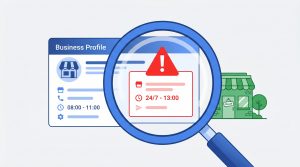
Business Name Doesn’t Match Reality
If your listing reads “Apex Plumbing, 24/7 Emergency Boiler Repair” but your registered trading name is “Apex Plumbing Ltd,” the added description counts as deceptive content. Your business name field must match your real-world name exactly, the name on your signage, your invoices, and your registration documents. No keywords, no taglines, no service descriptions folded into the name.
Address Doesn’t Reflect Where You Actually Operate
This is the most common trigger by a wide margin. Specific patterns Google treats as deceptive:
- Use your accountant’s office or a registered agent’s address as your trading address. Where your business is legally incorporated is not necessarily where it operates, and Google checks for the latter.
- A virtual office or co-working space is listed as your address, where no one can walk in and speak to a representative of your business during your stated hours.
- A residential address should be shown publicly for a service-area business that should have it hidden, with a defined service area set instead.
- Mail-forwarding addresses, including locations near UPS Store or Mailboxes Etc.-style outlets, are used as if they were staffed business premises.
If you operate from a real, staffed location, this is usually fixable with documentation. If your listed address doesn’t reflect a genuine operating presence, you need to correct the address itself before appealing.
Keyword Stuffing
Adding location names, service keywords, or promotional phrases to your business name field is considered deceptive because it misrepresents your actual business identity to searchers and Google’s systems alike.
Bulk Category Changes
This trigger is less widely known but well-documented in local SEO communities. Adding several new categories to your profile at once, particularly those that don’t obviously match your existing business type, can remain in a “pending” state for 1 to several weeks before Google’s review catches up. When it does, a mismatch between your stated categories and your verified business identity can result in a deceptive content flag, even if every category you added was technically accurate. If you’ve recently expanded your category list in one batch, this is worth checking first.
Unauthorised or Incorrect Pin Movement
Google occasionally adjusts a business’s map pin automatically, sometimes inaccurately, based on its own data signals. If your pin shifts to a location that doesn’t match your listed address, even through no action of your own, the resulting address-to-pin mismatch can trigger a deceptive content suspension. Check your pin placement against your actual listed address as a first diagnostic step, even if you’re confident you didn’t change anything yourself.
User and Competitor Reports
A pattern of user reports flagging a profile as inaccurate can trigger a manual or automated review. A report alone won’t suspend a fully compliant listing, but if any of the issues above are present, a report often accelerates the review that catches them. If you suspect this is what happened to you, our guide on Google Business Profile suspended by a competitor walks through that scenario specifically.
Get Expert Help →
How Long Does It Actually Take to Fix?
Realistic timelines, based on documented community cases and current reinstatement patterns, run as follows:
- First appeal review: typically 7-10 business days
- Straightforward cases (clear documentation, single clear-cut issue): full resolution often within a week to ten days from suspension to reinstatement
- More complex cases (address disputes, repeated appeals, or unclear violations) can extend to several weeks
One documented case followed exactly this pattern: a small clinic’s profile was suspended for deceptive content, and the owner had the listing fully reinstated roughly a week later, with reviews restored shortly after. The suspected trigger in that case was a batch of newly added categories that had been sitting in pending status for several weeks before the suspension occurred.
Reviews are not lost during the process. They are hidden while a hard suspension is in effect and restored automatically once reinstatement is confirmed.
These figures are specific to deceptive content cases. For a fuller breakdown across every suspension type, see our Google Business Profile reinstatement timelines guide.
Step-by-Step: How to Fix and Appeal a Deceptive Content Suspension

Step 1: Read the Suspension Notice and Audit Every Field
Go through your business name, address, phone number, website URL, categories, hours, and photos one by one. Ask honestly: does each field accurately represent your real business? Don’t assume the issue is obvious, in many cases, it’s a single field that’s slightly off.
Step 2: Check Your PIN and Recent Changes First
Before anything else, check whether your map pin matches your listed address, and review your account history for any bulk edits, especially category additions, made in the weeks before the suspension. These two triggers are easy to miss and easy to fix once identified.
Step 3: Correct the Issue
- Revert your business name to exactly match your registration documents
- Move to a genuine staffed address, or hide your address and set a service area if you’re a home-based or mobile business
- Remove excess or mismatched categories added in bulk
- Correct your pin location if it has shifted incorrectly
Step 4: Gather Documentation
Before appealing, collect evidence that proves your business is legitimate and operates as described: business registration or licence, a utility bill or lease for your trading address, a bank statement showing your business name, and clear photos of your premises and signage if you have a physical location.
Step 5: Submit Your Appeal With a Factual Explanation
Keep your explanation short and specific. State what was wrong, what you fixed, and why your listing now complies. For example: “Our business name previously included a service description that did not match our registered trading name. We have corrected the name to match our registration exactly. Supporting documentation is attached.”
Avoid emotional language, length for its own sake, or repeating unchanged information from a previously denied appeal. Google’s reviewers read these, and an unchanged resubmission is treated as a non-response.
Talk to a GBP Expert →
What If Your Appeal Gets Denied?
A denial usually means either the underlying issue wasn’t fully corrected, or your documentation didn’t clearly demonstrate the fix. Read the denial reason carefully, address it specifically rather than resubmitting the same explanation, and strengthen your documentation before appealing again. If repeated appeals fail, a video verification call through Google Business Profile support is often the most reliable path forward for unresolved address-related cases.
How to Avoid This Happening Again
- Keep your business name, address, and category list exactly consistent with your official registration documents at all times
- Make category and detail changes gradually rather than in large batches, and check that they’ve fully applied before adding more
- Check your map pin position periodically, particularly after any Google-suggested edits
- Keep your NAP (name, address, phone number) identical across your website, Google, Bing, and key directories
How One Digital Creations Helps With Deceptive Content Suspensions
A deceptive content suspension is rarely about dishonesty, it’s almost always a fixable mismatch between what’s listed and what Google’s systems expect to see. At One Digital Creations, we diagnose the specific trigger, correct it properly, and manage the appeal with the documentation Google’s review teams actually need.
If your Google Business Profile is suspended for deceptive content, 0203-208857073. We’ll identify the exact cause, handle the fix, and appeal in the right order.
Frequently Asked Questions
Why was my GBP suspended for deceptive content if my information is accurate?
Even accurate information can trigger a flag if it’s presented in a way Google’s systems read as inconsistent, for example, a technically correct address that isn’t a staffed location, or categories that don’t match your established business profile. Review each field against your official documents rather than assuming the suspension is a mistake.
Can adding too many categories at once cause a deceptive content suspension?
Yes. Adding several new categories in one batch can leave them in a pending state for weeks before review, and a resulting mismatch with your verified business identity can trigger a flag. Add categories gradually and confirm each change has been applied before making further edits.
What happens if Google moves my pin and then suspends me?
If Google’s systems shift your map pin to a location that doesn’t match your listed address, the resulting inconsistency can be read as deceptive content even though you made no changes yourself. Check your PIN against your address as a first diagnostic step before appealing.
How long does it take to fix a deceptive content suspension?
First appeal reviews typically take 7 to 10 business days. Straightforward cases with clear documentation are often fully resolved within a week to ten days. More complex or address-related disputes can take several weeks.
Is a deceptive content suspension the same as a general policy violation suspension? Not exactly. Deceptive content specifically relates to Google’s Misrepresentation policy, information that misleads users about your business identity, location, or offerings. Other suspensions can relate to spam, prohibited content, or account-level issues unrelated to misrepresentation.
Contact us Now →